tk766 Live Casino Slots
tk766 puts live casino tables, fan-favourite slots, crash games and IPL and BPL cricket markets in one mobile-ready lobby — all accessible with your bKash, Nagad or Rocket wallet.
Access may be available only where local law permits.

tk766 · Bangladesh
Service availability depends on eligible regions and local law. Users should check local rules before opening an account.
Phone, tablet or desktop — your choice
tk766 runs in your mobile browser or on desktop without any install, and your account balance, history and active sessions stay in sync across every device you log into.


How we keep your account safe
Security on tk766 runs at the connection level and inside your account. Every session is encrypted via SSL so data moving between your device and our servers stays protected in transit. Account access uses OTP verification tied to your registered mobile number — even if someone has your password, they cannot log in without your phone confirming the request. Your transaction history is recorded and viewable in the account wallet section so you can check every deposit and withdrawal receipt at any time. Payment and personal data are stored on protected infrastructure with access controls that limit who inside the platform can reach it.
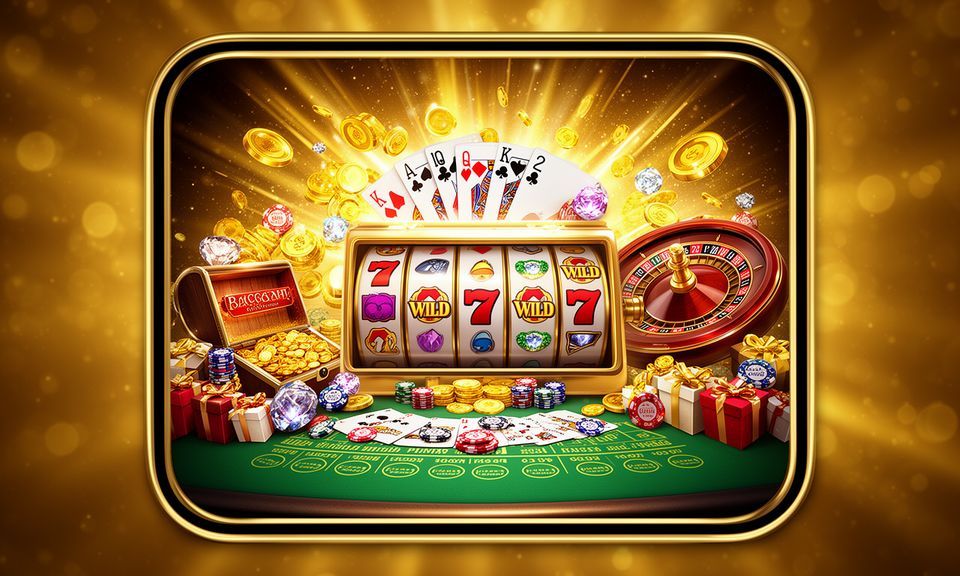
Everything tk766 has in one place
From Pragmatic Play slots to Evolution live tables and crash-style games, the tk766 lobby covers every format a Bangladesh player reaches for first.
Where to begin on tk766
Getting into the tk766 lobby takes four clear steps: register your account with a mobile number, verify via the OTP sent to your phone, choose your wallet, and head straight to the game category you want. The account dashboard puts your wallet balance, active rounds and support links on the same screen so nothing is buried.
Offers for new accounts
A casino account offer is available when you make your first qualifying deposit via bKash, Nagad or Rocket. Terms apply.
Open Your Account
Place your first qualifying sports wager on cricket or football markets and a credit is applied to your sportsbook wallet. Terms apply.
Open Your AccountPayment methods for Bangladesh
Deposits and withdrawals on tk766 run through the mobile wallets Bangladeshi people already use every day. Send a deposit via bKash and the funds reflect in your account balance as soon as the wallet transaction confirms — the same quick path applies to Nagad and Rocket. For withdrawals, you submit a request from the account wallet page, complete the one-step verification, and the amount is sent back to your chosen wallet. Bank Transfer is also available for those who prefer it. Availability of specific payment options may vary by region.
Casino, slots and sports under one roof

Bank Transfer CashNow

Baccarat Twilight
Cricket GoalBet
Roulette Luckspin
Teen Patti Round

Football BetMarket
Five steps to get going on tk766
Open tk766, enter your mobile number and complete the OTP verification to create your account.
Choose bKash, Nagad or Rocket in the wallet section, send the amount from your mobile wallet app and watch your balance update.
Browse Slots, Live Casino, Crash Games or the Sportsbook and open the title or market you want to start with.
Your account balance is live on screen throughout your session — switch between categories without losing your place.
tk766 runs smoothly on any device you pick up
The tk766 lobby is browser-based, which means no install required — open it in Chrome or any mobile browser on your Android or iOS device and the layout adjusts automatically to your screen size. If you start a slot session on your phone during a lunch break and switch to a desktop browser later, your account, balance and game history are exactly where you left them. Returning users get back to the lobby in two taps: one for the login page, one for the OTP confirm. Players in Dhaka and across Bangladesh reach the full lobby the same way, without a separate regional build.
What is running this week
Platform at a glance
| Game providers | Pragmatic Play, Evolution, CQ9, Habanero |
|---|---|
| Game categories | Live Casino, Slots, Sportsbook |
| Accepted currency | BDT |
| Payment methods | bKash, Nagad, Rocket, Upay, Bank Transfer |
| Mobile access | Phone, tablet and desktop browser |
| Customer support | Live chat and email |
Frequently asked questions about tk766
Here are the questions we hear most from Bangladesh members — answered directly, without the runaround.
How to navigate the tk766 lobby
The main navigation bar at the top of the lobby splits into Slots, Live Casino, Table Games, Crash Games and Sports. Tap any category and the game cards load for that section only — you are not scrolling through an unsorted list. To find a specific title like Aviator Bangladesh Guide or Teen Patti NightFire, use the search icon at the top right of the lobby. The account area — wallet balance, transaction history, personal details — is accessible from the profile icon in the top corner. Switching between casino and sportsbook does not log you out or reset your session; the lobby holds your state across tabs.
Finding a Specific Game
Use the lobby search to type a game name directly — Slot QuickSpin, Football BetMarket, Teen Patti Round. Results filter as you type so you reach the exact table or slot without scrolling the full catalogue.
Switching Between Casino and Sports
The Sports tab in the navigation opens the sportsbook alongside your casino session. Cricket markets — IPL, BPL, international fixtures — sit under the Cricket category inside the sportsbook section.
Reaching Your Account Area
The profile icon in the lobby header opens your account dashboard: wallet balance, active bonuses, deposit and withdrawal history, and personal details all on one screen. No separate login is required to switch sections.
Returning to the Lobby
The tk766 logo in the top-left corner always returns you to the lobby home from any category, game or account screen. On mobile, the bottom navigation bar provides the same shortcut without scrolling back up.